Print the cards
A game can be printed at home, from a PDF, or by a print shop, from images made for it. Both start under Export & import, at the top of the editor, and both check the cards first. This guide prints the pond game both ways.
At home: the PDF
Pick PDF. The print-and-play PDF lays the cards out on pages, as many copies of each as it asks for.
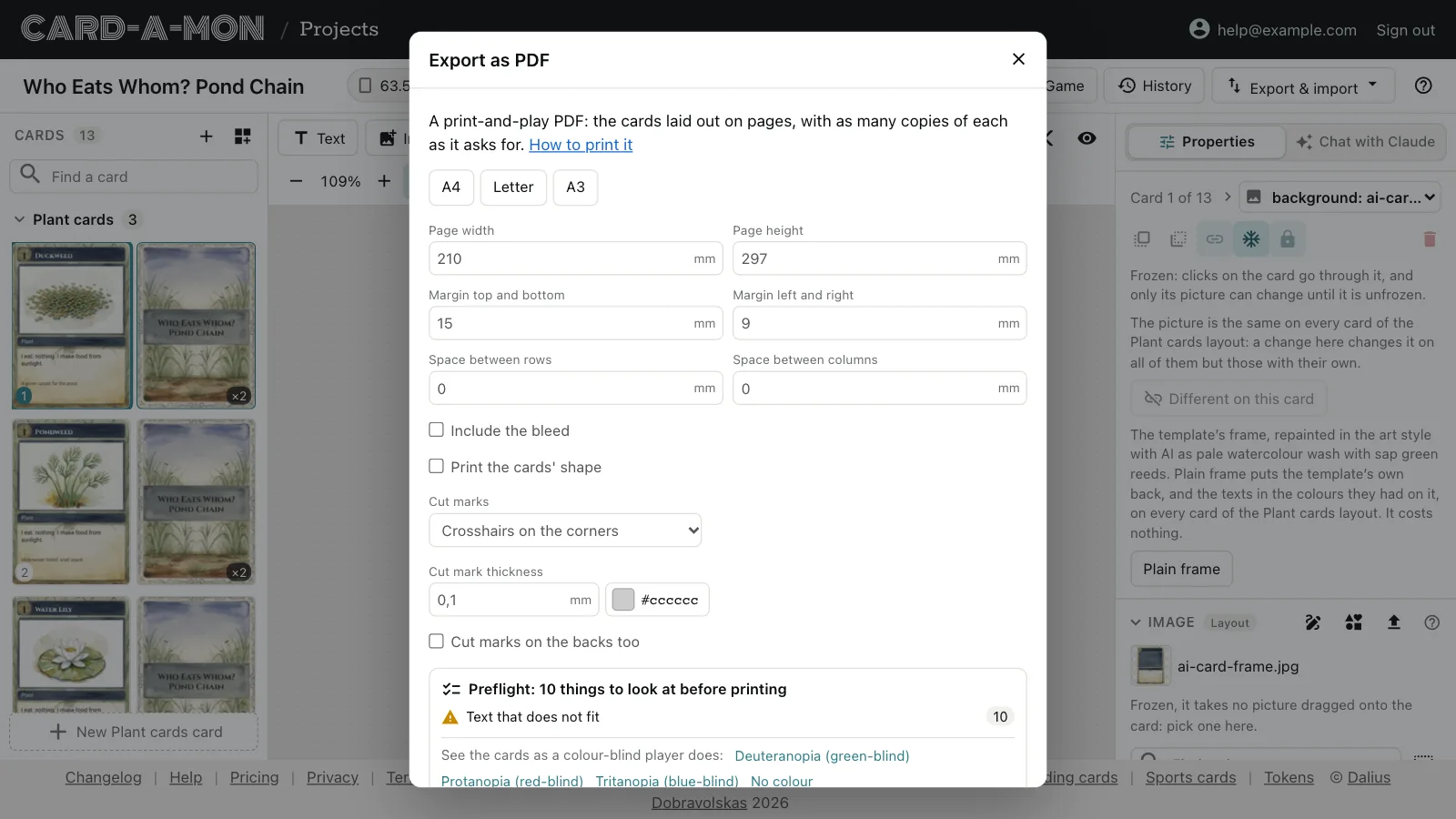
- The paper: A4, Letter or A3, or any size in millimetres, with its margins and the space between the cards. A card too big for the margins but not for the paper, such as an A4 rulebook page on A4, is printed in the middle of the page with less margin; print it fit to the page if your printer cannot print to the edge.
- Include the bleed prints the margin round each card that a print shop cuts away. Leave it off to print the cards as they are once cut, which is what you want at home.
- Print the cards' shape prints each card as it looks once cut — its corners rounded, a token cut to its circle or hexagon — with nothing past it. Leave it off when you round the corners with a corner cutter or punch out the tokens, whose radius may not match the one printed.
- Cut marks: crosshairs at the cards' corners, to cut along with a guillotine or a knife and ruler; lines round each card, solid or dashed, to cut out with scissors; or none. A round or many-sided token is marked along its outline. Pick how thick they are and their colour.
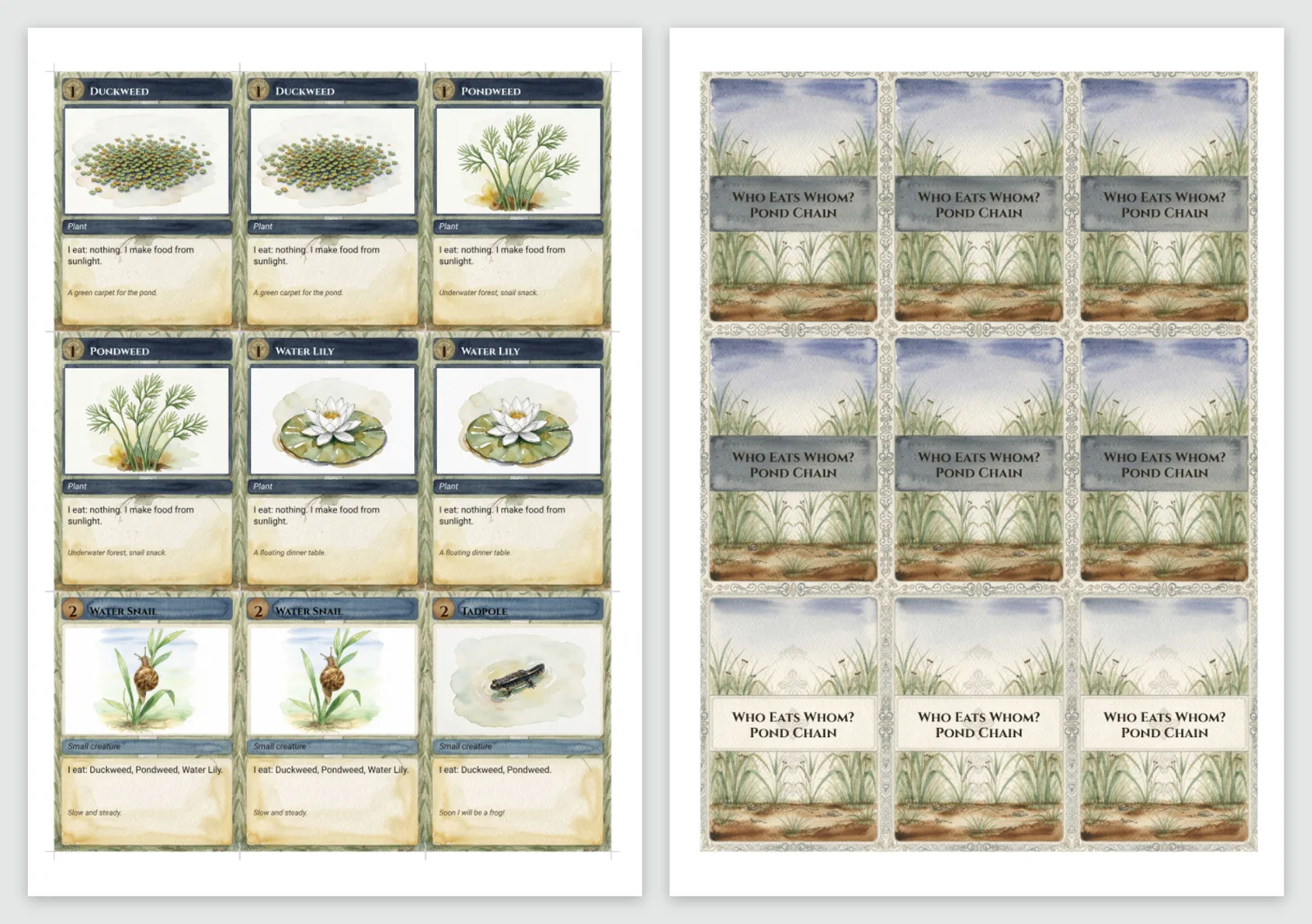
The pond game, on A4, prints nine cards to a page:
Printing on both sides
Cards with backs are followed by a page of their backs, each placed behind its own front: print the PDF on both sides of the paper, flipping on the long edge, and every back lands behind its card. A printer shifts the back of a page by a millimetre or so, so the backs have no cut marks of their own: cut along the front's, or tick Cut marks on the backs too to have them anyway. With no duplex printer, print the pages of fronts, put the paper back in the printer and print the backs on the other side, or glue them back to back.
The preflight
Every export checks the cards before it makes anything, since a mistake found on a box of printed cards costs the box. The Preflight, at the foot of the dialog, lists what to look at:
- words or icons over the safe line, which the cut may clip;
- text that does not fit its field, or is under 6 pt and hard to read;
- text that does not stand out from what is behind it;
- text and image fields left empty;
- pictures too small to print sharp;
- colours that colour-blind players mix up, where the colour is all that tells cards apart;
- characters the font does not have, which print as empty boxes.
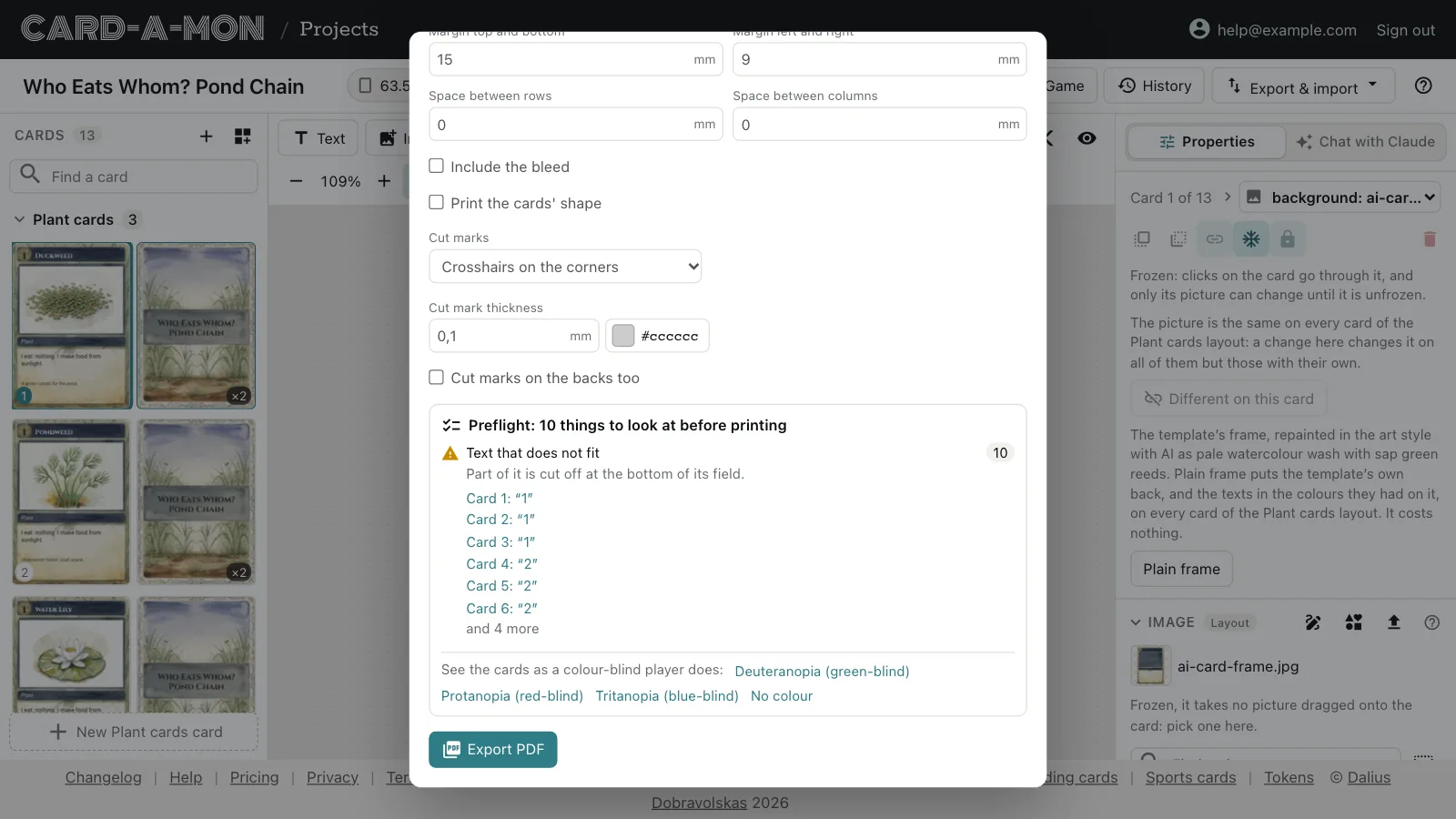
Click a card in the list to go to it, with the field picked. Not everything listed is wrong: an empty field may be meant to be empty. The links under the list show the cards as a player with each kind of colour blindness sees them; Normal vision, above the card in the editor, goes back.
At a print shop: images
Pick Images, then the print shop: The Game Crafter, MakePlayingCards or Ludotipia. Export images gives a zip laid out the way that shop takes the files, bleed included, at 300 DPI, with what to upload first and how to set the quantities said in the dialog. Each card size is a folder of its own, uploaded as a product of its own. Other gives every card once as a PNG at the resolution you pick, fronts and backs in folders of their own, numbered alike.
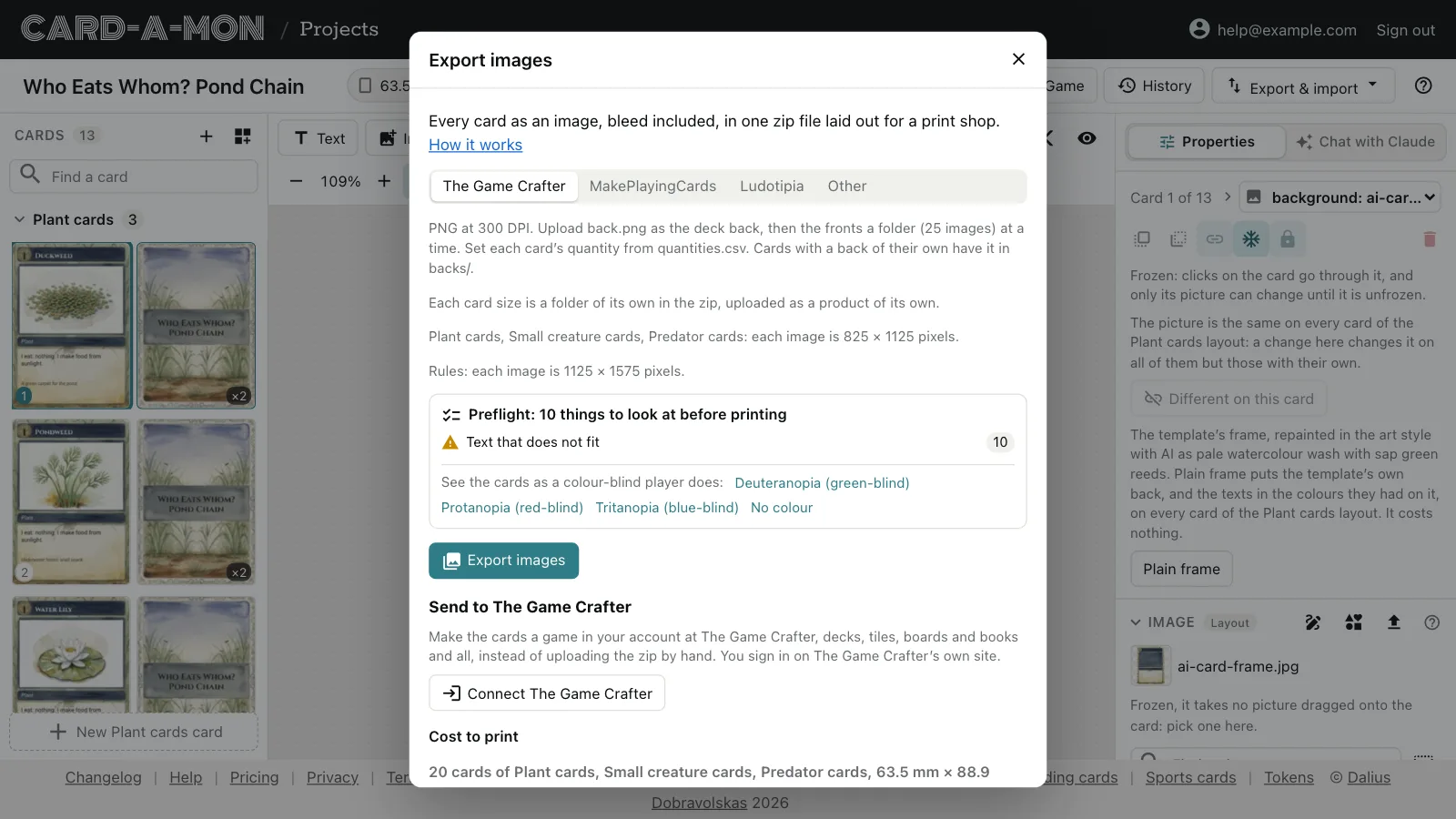
Each shop asks for its own bleed. If the cards' bleed is not the one the shop picked asks for, the dialog says so: change it in the card size before exporting.
What it costs to print
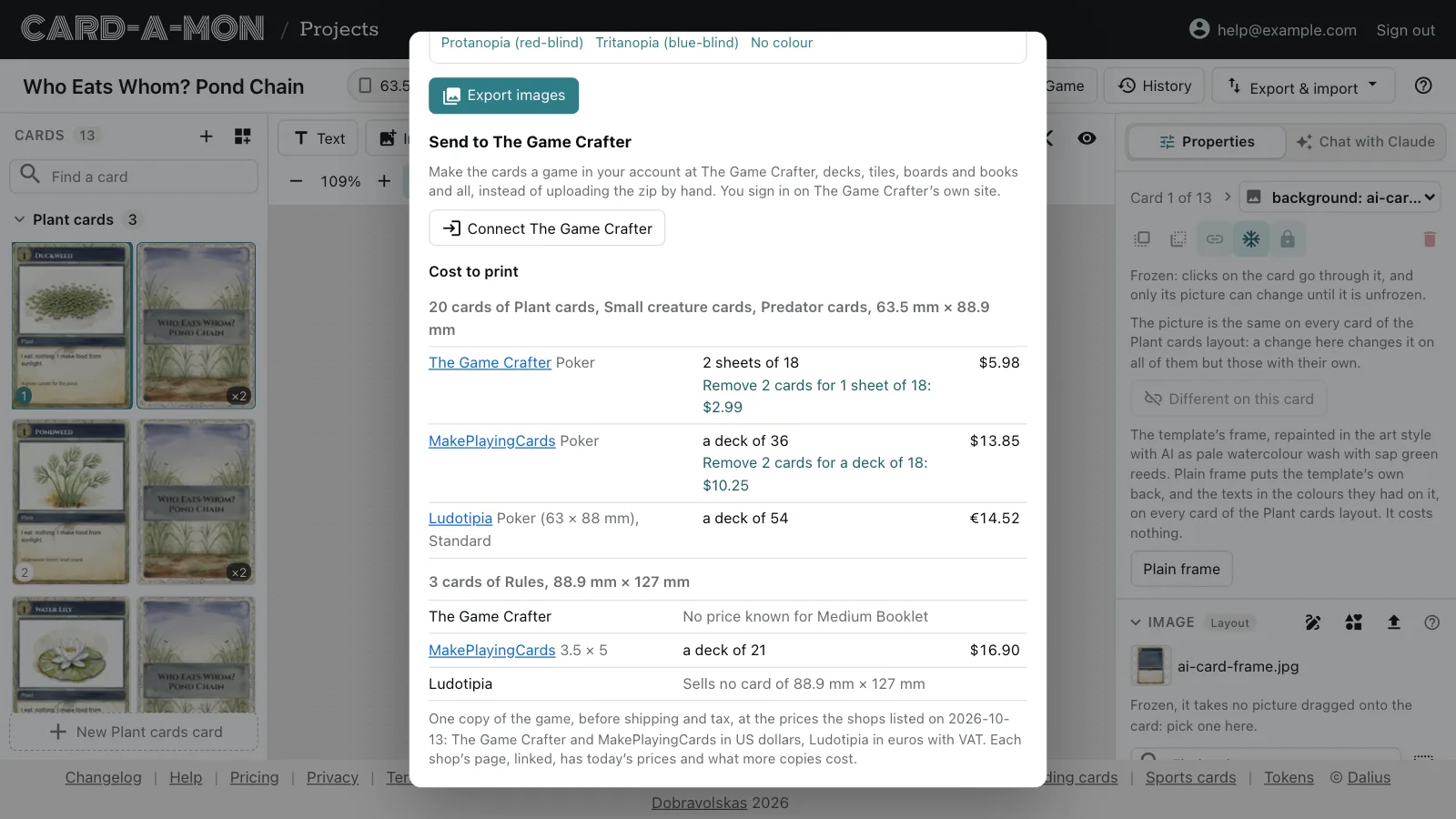
Under the export, Cost to print prices one copy of the game at each of the three shops, before shipping and tax, and says where a few cards fewer would make it cheaper: the pond game's 20 cards are two sheets of 18 at The Game Crafter, and leaving out two of them would make it one. The prices are the shops' own, checked every so often, with the date they were checked; each shop's page, linked, has today's.
Send it to The Game Crafter
With The Game Crafter picked, the cards can go straight to your account there instead of being uploaded by hand. Connect The Game Crafter signs you in on The Game Crafter's own site and brings you back. Then give the game a name and pick its designer, and Make the game at The Game Crafter draws every card, uploads it, and makes each card size the product it is — a deck, chits and tiles, boards, mats, booklets or score pads — with each card's copies as its quantity. A size that could be more than one product is picked in the dialog. When it is done, open the game at The Game Crafter to order a copy.
Where next
- Share and keep your work: A link that shows the cards to anybody, the history of every version, and the whole project as a file of your own.
- Play online: A deck for Tabletop Simulator, sheets of cards for the other online tabletops, or the cards sent to Dustin's Designer Den.
All the guides. Questions or ideas: info@cardamon.lt.