Share and keep your work
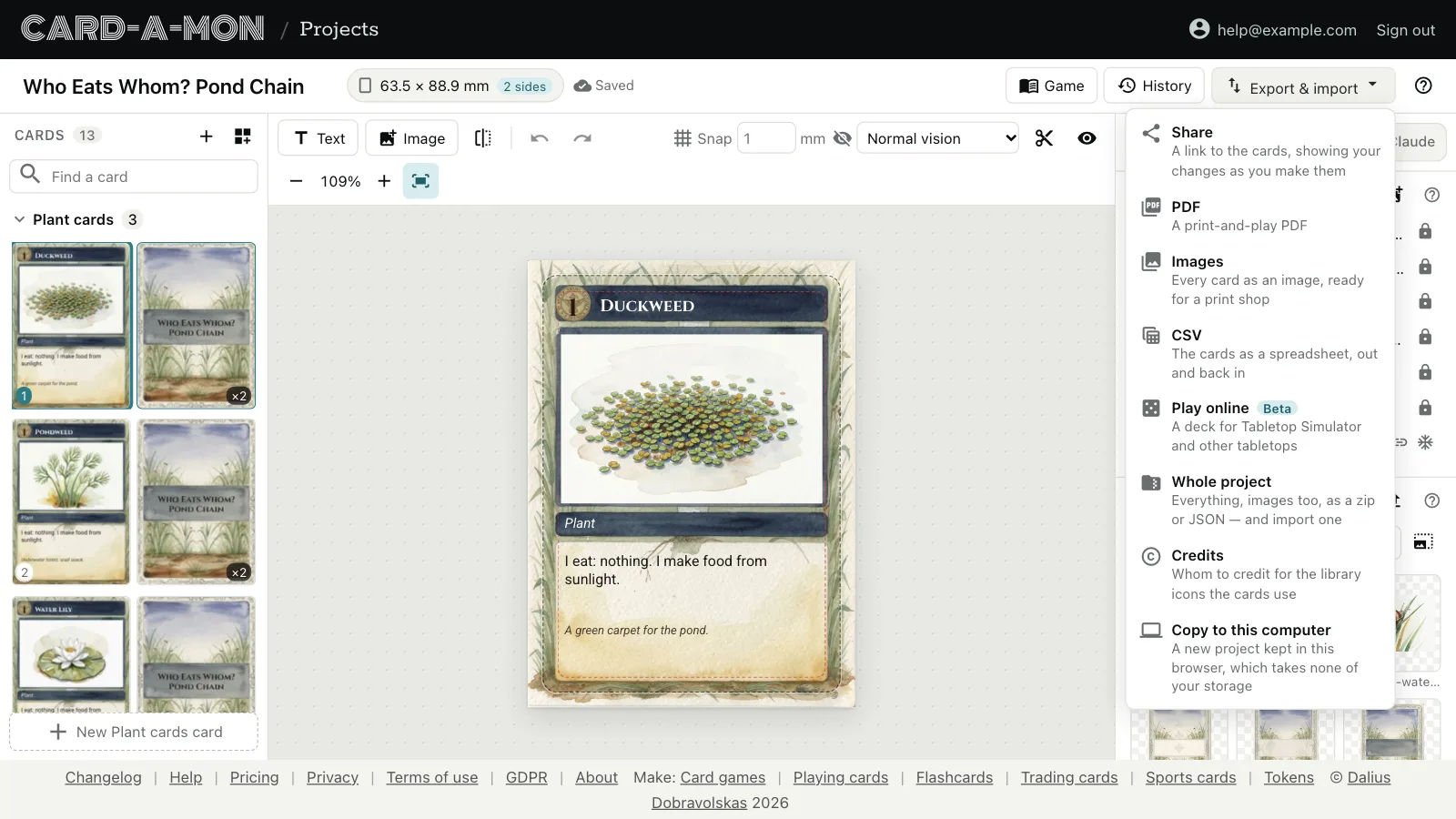
Everything in a project is saved as you work, and earlier versions are kept. This guide shows the cards to other people, goes back to an earlier version, and takes the whole project away as a file. All of it starts at the top of the editor, most of it under Export & import:
Share a link
Pick Share and Make a link. Anybody with the link can look at the cards, without an account, and sees changes as you make them: send it to a co-designer, a playtester or a class.
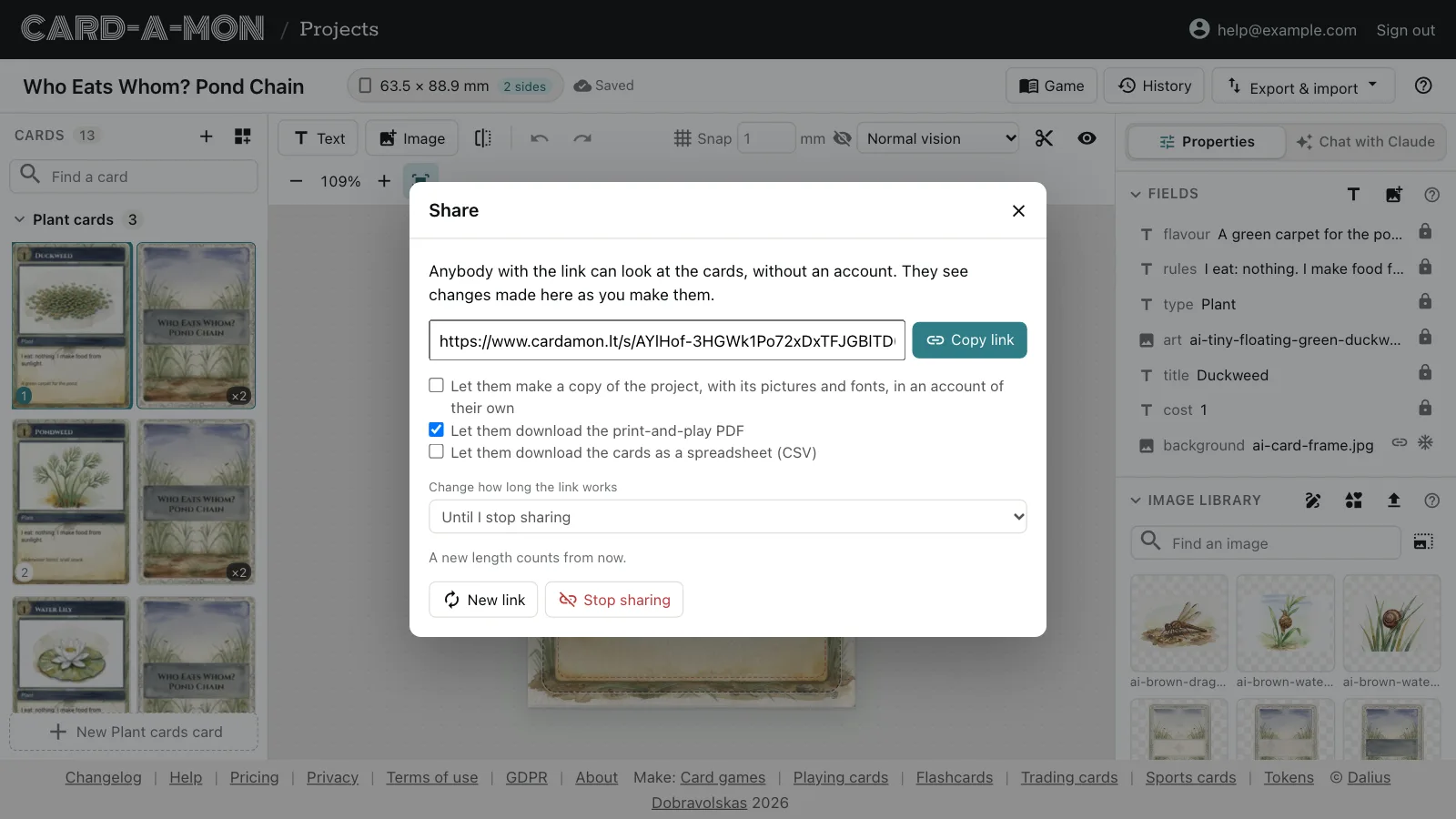
- What they may do besides look is yours to pick: make a copy of the project, with its pictures and fonts, in an account of their own; download the print-and-play PDF; or download the cards as a CSV.
- The link works until you stop sharing, or for a day, a week or 30 days. A new length counts from when you set it.
- New link stops the old one working, for when it has gone further than it should; Stop sharing stops it altogether.
History
History, at the top of the editor, lists earlier versions of the cards. One is kept every few minutes as you work, and before every import, every read of a linked sheet and every change made by Claude or another AI assistant.
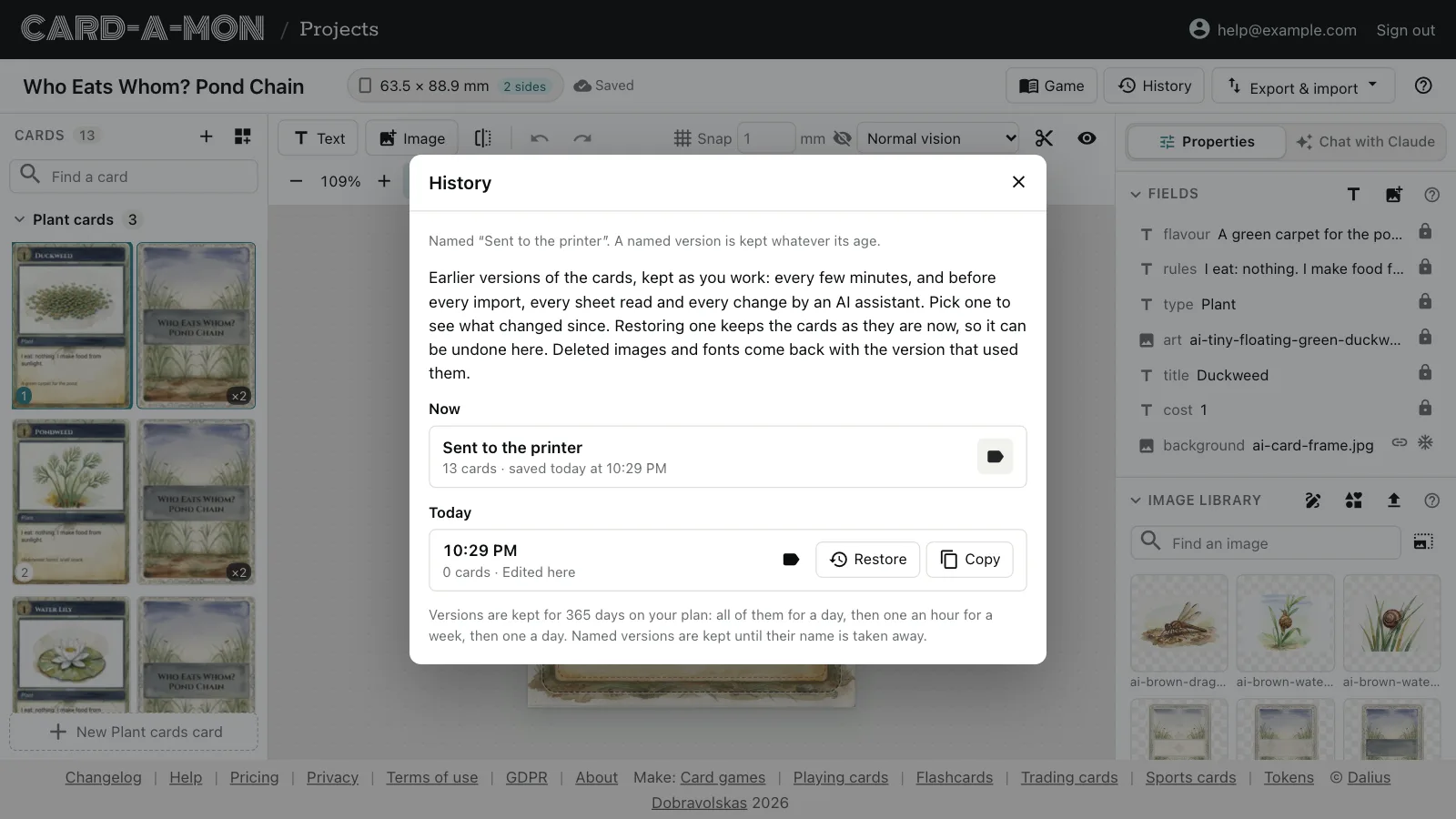
- Pick a version to see what has changed since.
- Restore makes it the current version. The cards as they were are kept, so a restore can be undone in the same list. Images and fonts deleted since come back with it.
- Copy makes a new project of that version, and leaves this one as it is.
- The label button names a version — “Sent to the printer”, “Before the playtest” — and a named version is kept whatever its age. How long the others are kept depends on your plan: all of them for a day, then one an hour for a week, then one a day.
The whole project as a file
Your work is never locked in here. Whole project, under Export & import, downloads everything in the project.
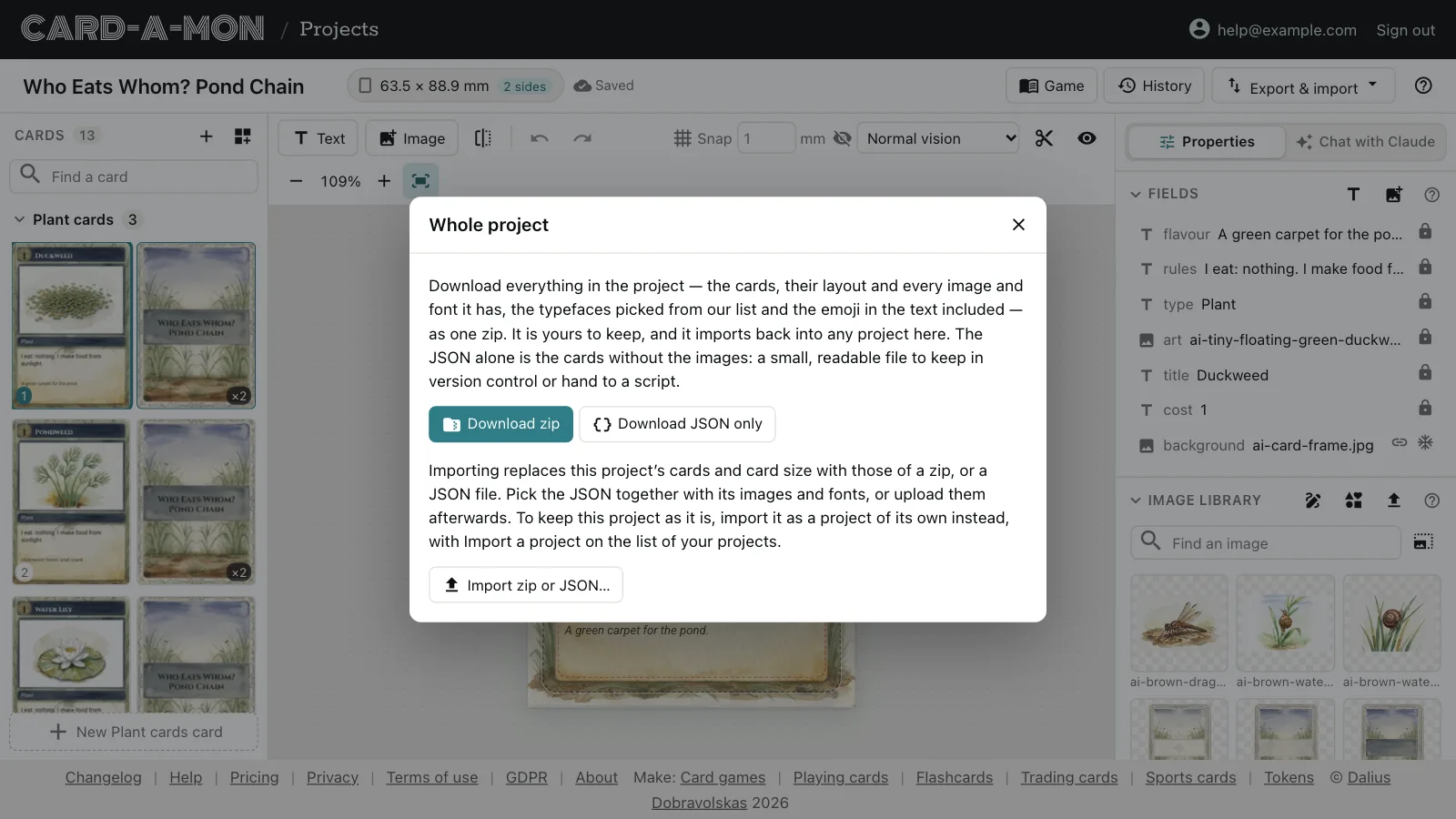
Download zip gives a project.json with the cards, their fields and the card size, and every image and font the project has, under images/ and fonts/, with the typefaces picked from Card-a-mon's list too, so the cards can still be printed without it. Download JSON only gives the project.json alone: a small, readable file to keep in version control or hand to a script.
The zip has a print.html too, which draws the cards into images for a print shop in any browser, with no connection and without Card-a-mon. What is in the zip and in project.json, field by field, is in The project file, so that a script or another tool can read it.
Either imports back. Import a project, on your projects page, makes a new project of it. Import zip or JSON, in this dialog, replaces this project's cards and card size instead, and Undo takes them back; its images and fonts are uploaded, replacing any of the same name. With the JSON alone, pick its images and fonts together with it, or upload them afterwards.
Where next
- Cards in a spreadsheet: Fill the cards in from a CSV file or a linked Google Sheet, and keep them there.
- Play online: A deck for Tabletop Simulator, sheets of cards for the other online tabletops, or the cards sent to Dustin's Designer Den.
All the guides. Questions or ideas: info@cardamon.lt.