Make tokens, chits and tiles for your game
Coins, resources, damage counters, terrain hexes, status markers: design them round, hex, octagon or square, and print a sheet to cut out at home, or have them punched from chipboard at a print shop.
Free, in your browser. Sign in with just your email.
Three steps to a bag of tokens
Pick the shape
Choose a circle punch to cut them at home — 1″, 25 mm, 1½″, 38 mm or 2″ — or one of The Game Crafter's chits and tiles: circles, squares and hexes from half an inch across. The template draws its frame along the cut, whatever its shape.
Make the tokens yours
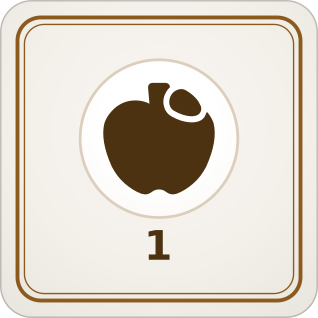
The tokens template starts as wheat, wood, iron and apples, each with a number. Swap in your own icons or artwork, change the numbers, and give a token a count to print as many of it as the game needs.
Print and cut them
Get a PDF with the cut line drawn round every token to punch or cut out at home, or a PNG of each with the bleed a print shop asks for, to have them printed and punched.
Every piece that is not a card
A set of tokens is cards like any other: one layout, and what goes on each. Make money in three values, a hex for each kind of terrain, a marker for every player's colour, or two-sided tiles with a back that matches.
Questions
- Is it free?
- Yes. Everything Card-a-mon does is free, with 100 MB for images and fonts and one deck hosted for Play online; paid plans, on the Pricing page, give more room. All you need to sign in is an email address. There is no tracking and no advertising.
- What shapes can tokens be?
- Circles, hexagons, octagons, and squares with rounded or square corners. Pick the shape with the size: a circle punch, a chit or tile a print shop sells, or a size of your own.
- How do I cut them out at home?
- Pick the size of your circle punch, and the PDF lays the tokens out at that size with a thin bleed, so the punch never shows a white edge. Square tokens cut straight with a guillotine or a knife.
- Can a print shop make them?
- Yes. Pick The Game Crafter's circle, square or hex chits and tiles when you start, and download a PNG of every token with the bleed they ask for, to upload to them.
- Can I use my own pictures?
- Yes. Upload PNG, JPEG or SVG images once and put them on any token, or pick an icon from the library. A picture on a round or hex token can be shown through its cut.
- Can tokens be two-sided?
- Yes. Pick a back when you start, and every token gets one, or give each token a back of its own: a face-down side, or a flipped state.
Your first token is a click away.