Cards in a spreadsheet
A game with many cards is easier to write in a spreadsheet, a row to each card, than one card at a time. Lay out the first card in the editor; then the rest can come from a CSV file, or from a Google Sheet that the cards keep following.
Export and import a CSV
Pick CSV under Export & import at the top of the editor.
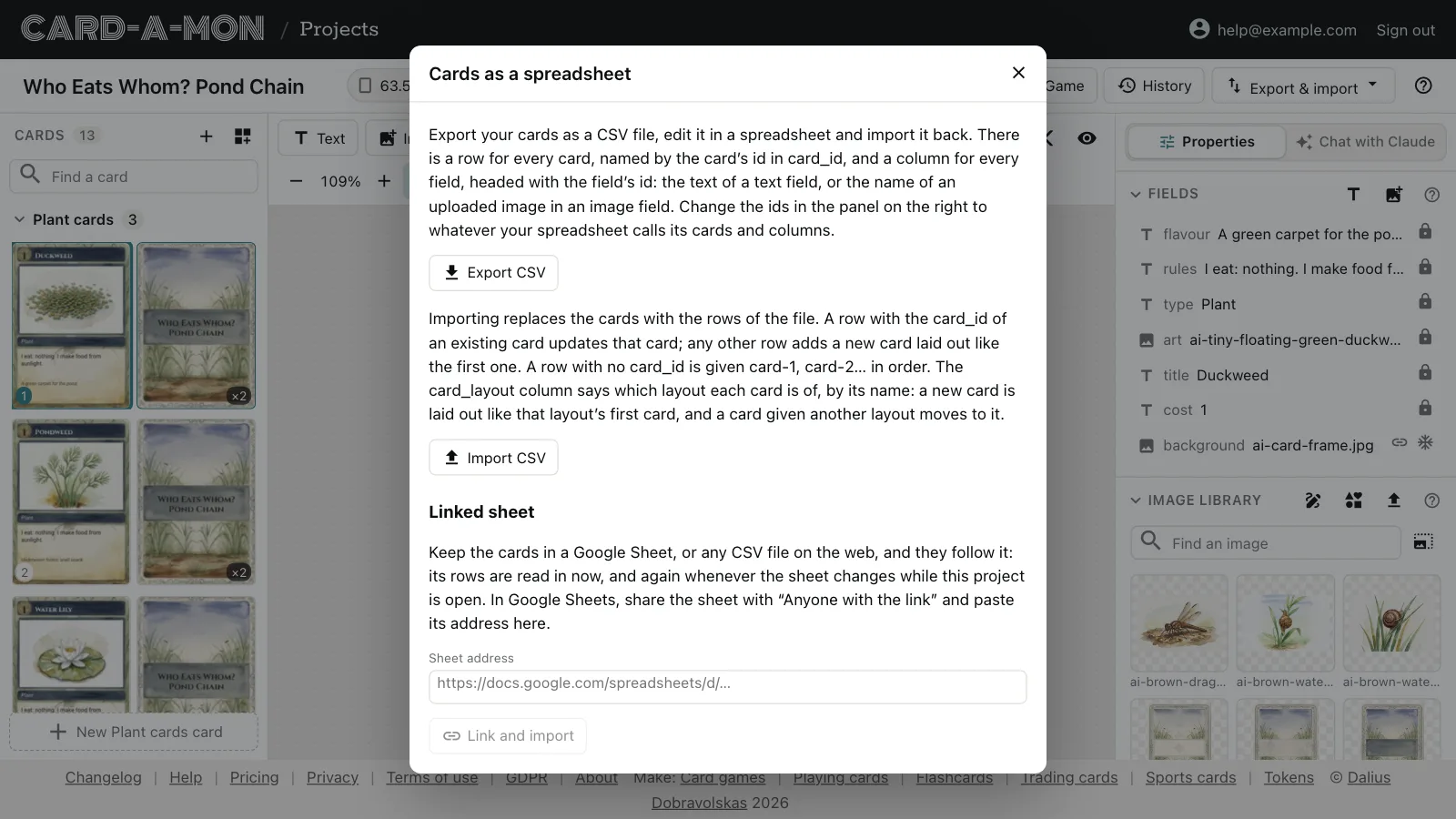
Export CSV gives a file with a row for every card and a column for every field: the text of a text field, or the name of an uploaded image in an image field. Edit it in any spreadsheet — Excel, LibreOffice, Numbers or Google Sheets — and Import CSV to bring it back. The rows replace the cards; Undo takes an import back.
The pond game's starts like this:
| card_id | card_count | card_layout | title | type | rules | … |
|---|---|---|---|---|---|---|
| card-1 | 2 | Plant cards | Duckweed | Plant | I eat: nothing. I make food from sunlight. | … |
| card-4 | 2 | Small creature cards | Water Snail | Small creature | I eat: Duckweed, Pondweed, Water Lily. | … |
| card-10 | 2 | Predator cards | Heron | Predator | I eat: Frog, Newt, Tadpole. … | … |
Rows and columns
Rows and columns are matched by ids, not by their order. The card_id column names each row's card, and every other column is headed with a field's id. A new card is called card-1, card-2… and a new field text-1 or image-2, but you can change them in Properties — call the title field title and the column headed “title” fills it. A row whose card_id is a card that exists updates it; any other row adds a card with that id, and a row with no card_id is given card-1, card-2… in order. Columns with no field of that id are left out, and you are told which.
card_count is how many copies of the card to print. A project with more than one layout has a card_layout column too, with the name of each card's layout, and a column for every layout's fields; a row's cells for fields its layout does not have are left empty. A new row is laid out like the first card of the layout it names, and a card given another layout moves to it, keeping what its fields of the same id say. A row with no layout is the layout it was, or the first.
An image field with picture notes has a column for them beside its own. For the pond game's art field it is art_description: what each card's picture shows, or should, for whoever draws it. An empty cell empties it.
Link a Google Sheet
Instead of importing a file, a project can follow a sheet. In Google Sheets, click Share and set General access to Anyone with the link, then copy the address from the browser — of the tab you want — and paste it under Linked sheet in the CSV dialog. A “Publish to web” address works too, and so does the address of any CSV file on the web.
The sheet is read in straight away. After that, while the project is open, it is checked every minute, and when it has changed its rows replace the cards, the same as an import: changes made in the editor to the cards' text stay until the sheet changes again, and Undo takes an update back. Import now reads it in whether it has changed or not, and Unlink stops following it. People you share the project with by link do not see the sheet's address.
Where next
- Your first project: Make a project, find your way round the editor, and set the size of the cards, their bleed and their backs.
- Share and keep your work: A link that shows the cards to anybody, the history of every version, and the whole project as a file of your own.
All the guides. Questions or ideas: info@cardamon.lt.