Cards for colour-blind players
About one man in twelve, and one woman in two hundred, cannot tell some colours apart. In a game whose suits, factions or resources are told apart by colour alone, they have to ask what a card is, or guess. Card-a-mon shows you the cards as they see them, warns you before printing, and has symbols to put beside the colours.
This guide uses a small deck of its own rather than the pond game, since the pond game's cards are not told apart by colour: Four Suits, eight cards in red, yellow, green and blue.
See the cards as a colour-blind player does
The half-dark circle beside Snap, above the card, opens a list of the ways to see the cards: Normal vision, Protanopia (red-blind), Deuteranopia (green-blind), Tritanopia (blue-blind) and No colour. Pick one, and the card and the card list are drawn as somebody with it sees them, so you can look through the deck for cards that should look different and don't. The button stays coloured while it is on, as a reminder. It is only a way of looking at the cards: nothing is saved, and the cards print as they are.
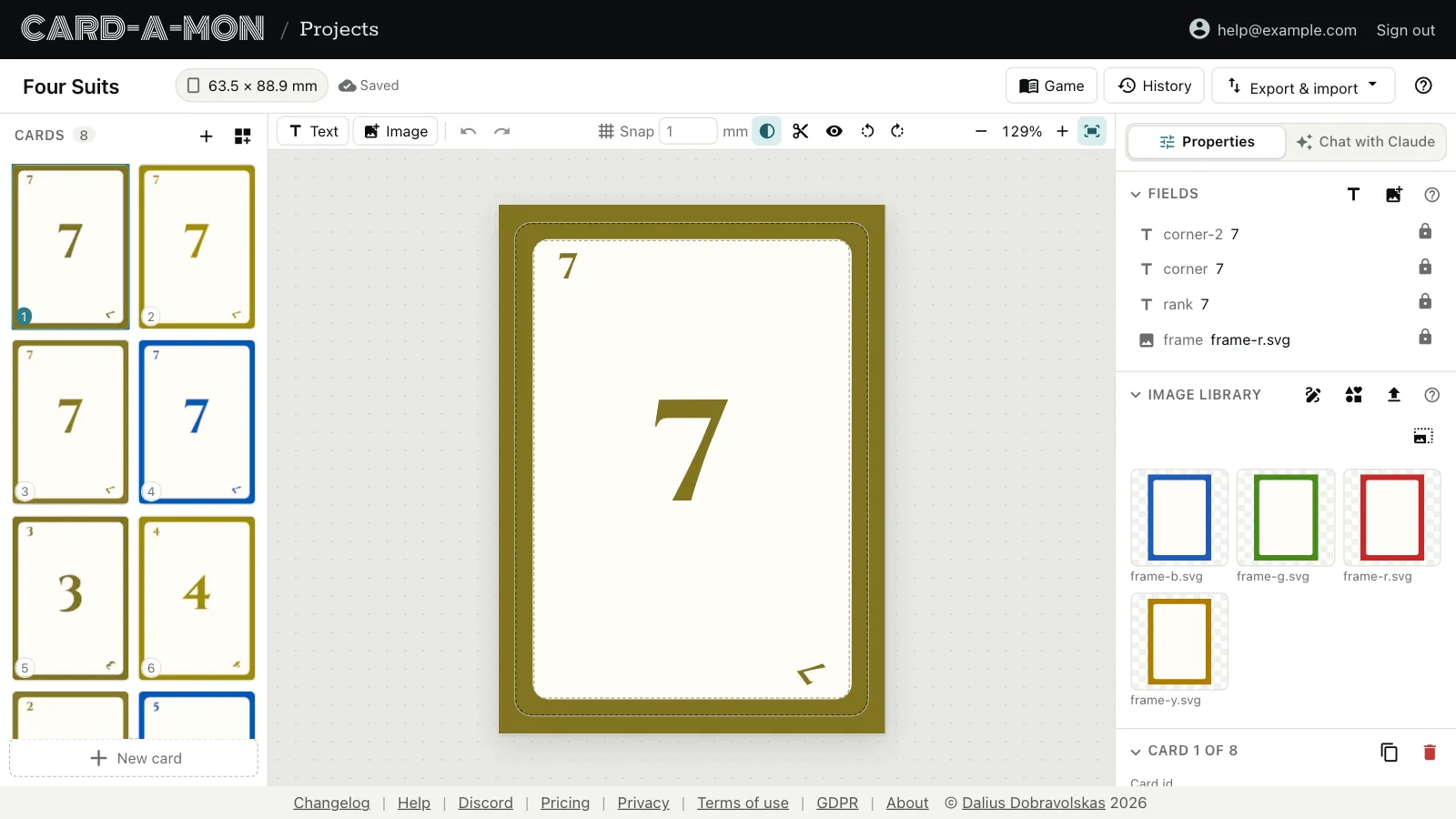
Green-blind is the most common kind, then red-blind; blue-blind is rare. No colour is how a photocopy, or a print on a black-and-white printer, comes out, which is worth a look for a print-and-play game.
The check before printing
The check before printing, at the foot of the PDF and Images dialogs, looks at every text field whose colour changes from card to card, a suit's rank say, and lists those in two colours that a red-blind, green-blind or blue-blind player takes for each other, with the two colours and who mixes them up. The links under the list turn the preview on in each way.
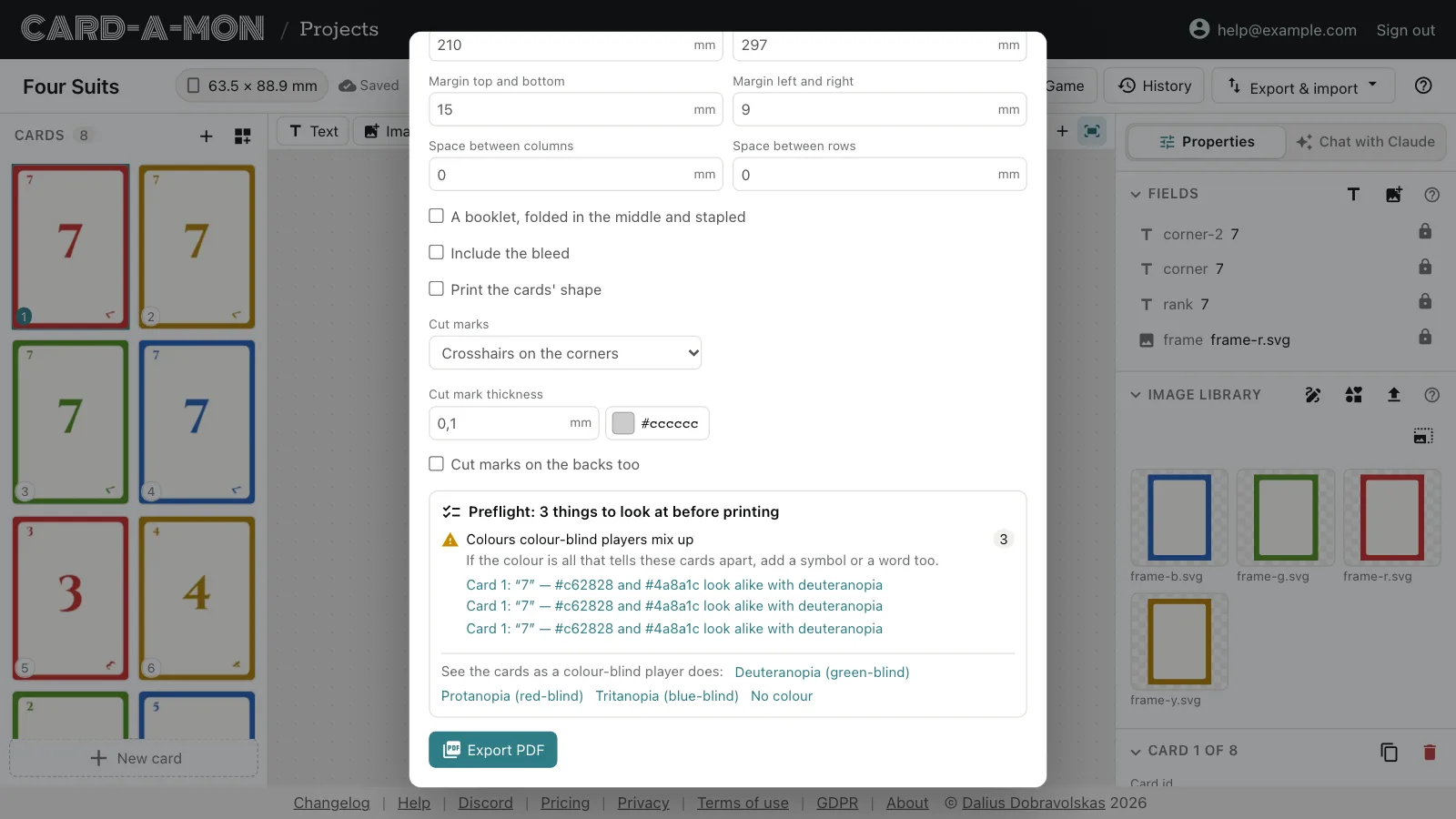
The check cannot know whether the colour is all that tells the cards apart. When a word or a symbol says the same thing, the warning can be left as it is. It looks at the colour of text only: a frame or a picture in the suit's colour is for the preview to show.
Add a symbol to each colour
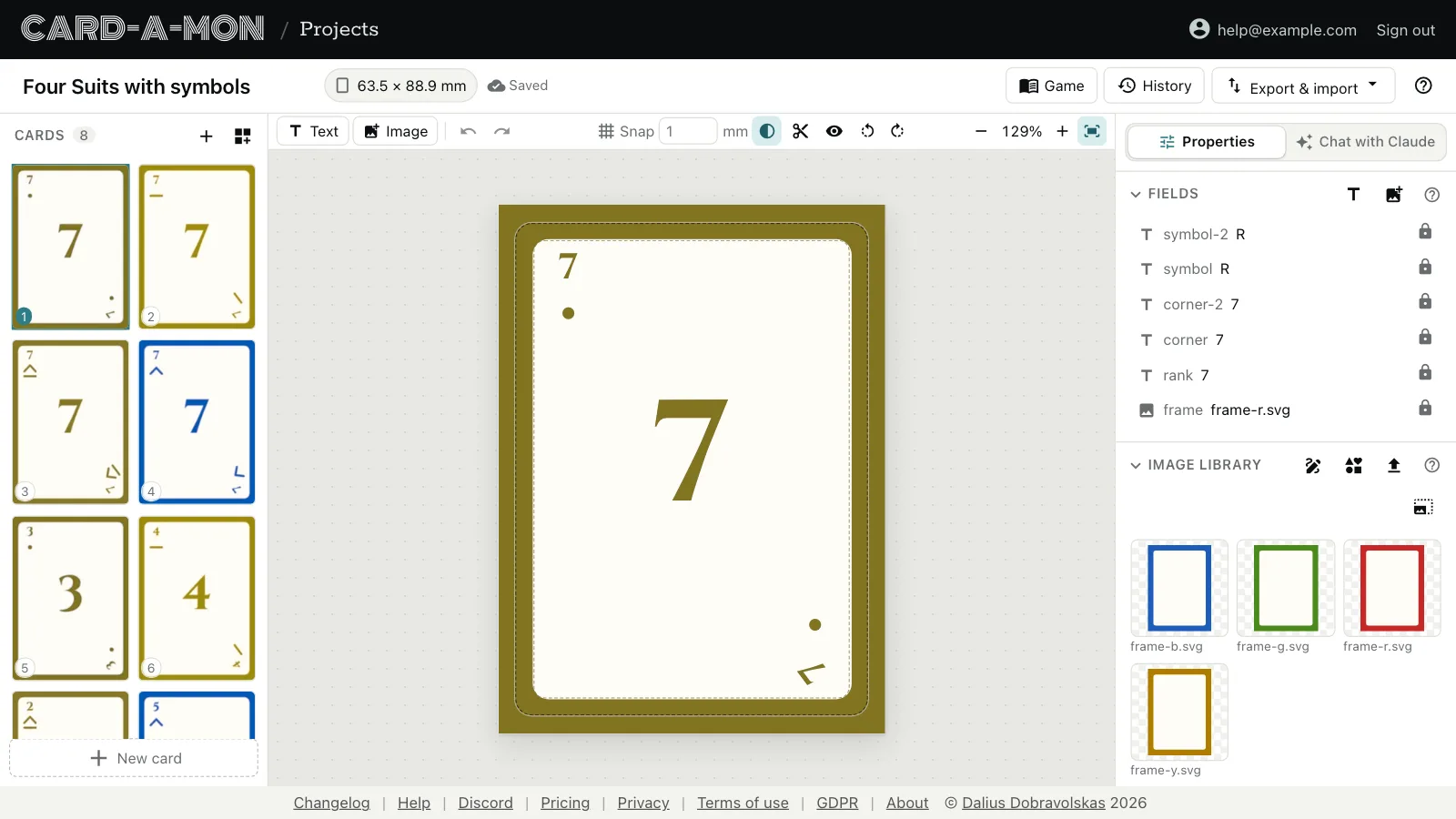
A colour that also has a shape can be told apart by everybody. ColorSym, by Chris Eastridge and Luis Francisco, is a free set of symbols made for this: a dot for red, a line for yellow, a chevron for blue, and the mixed colours made of their parents' symbols, so orange is red's dot over yellow's line. They read the same from any side, which suits a card that is turned round in the hand. Card-a-mon has them both as a font and as icons.
As a font
Add a text field where the symbol is to go, with Text above the card, and pick ColorSym under Font in Properties. In it, each colour is its letter:
- R red, Y yellow, B blue, K black, W white;
- O orange, G green, N brown, V violet, P pink, A gray.
Type the card's letter in the field, or fill it from a column of letters in a spreadsheet. The symbol takes the field's colour and size like any text, so it can be in the suit's colour, and a second field turned 180° puts it in the opposite corner, as playing cards have their ranks.
As icons
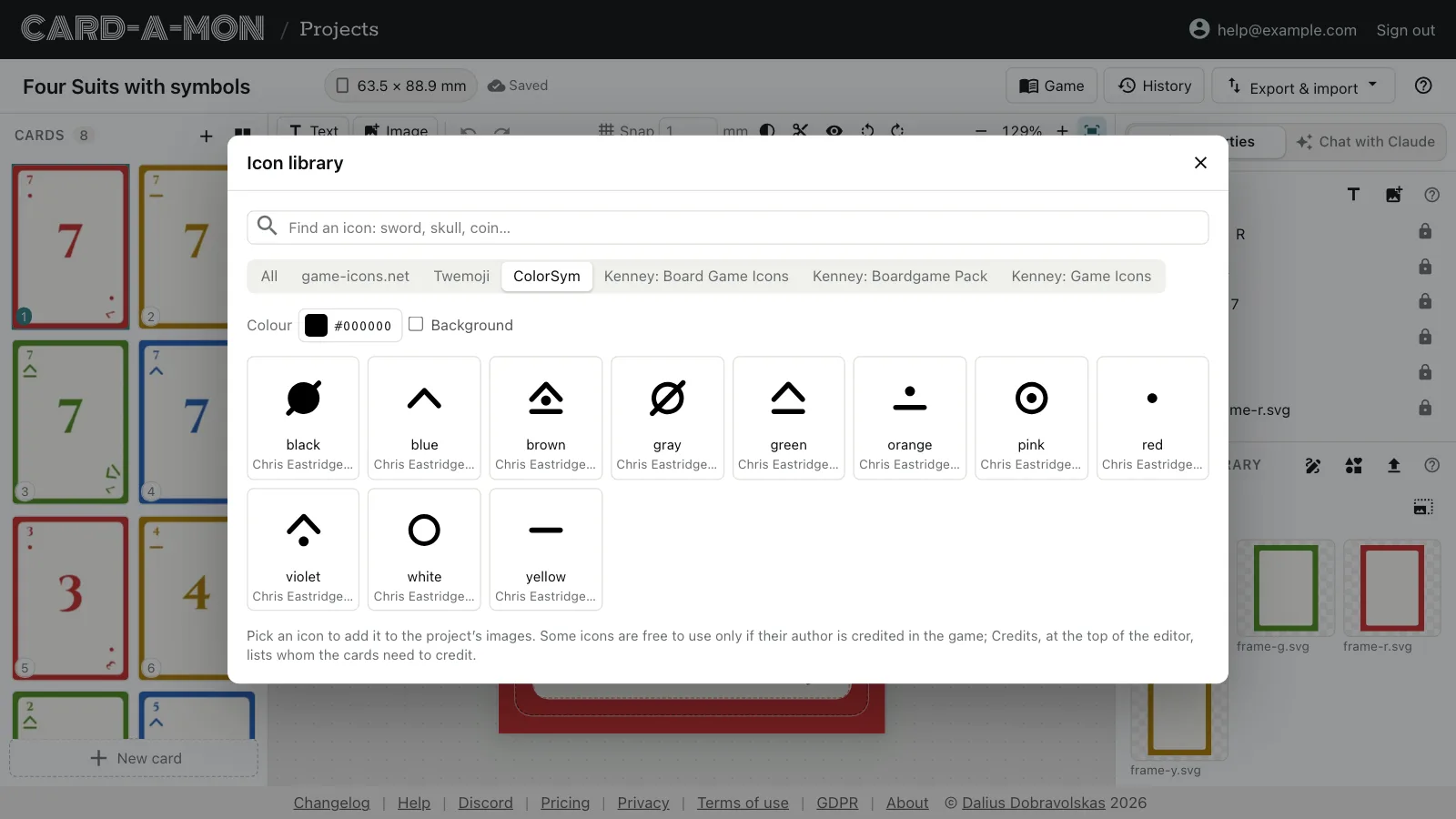
In the icon library, pick ColorSym under the search box for its 11 symbols, each named after its colour. Pick a colour for them, and a background if you want one, and click a symbol to add it to the project's pictures or put it in the image field picked.
Credit
ColorSym asks to be credited, and its icons are under CC BY-SA 4.0, which requires it: Credits, under Export & import, lists them with the rest. The font is under the SIL Open Font License, which lets it be used in any game, printed or sold. More about the system is at colorsym.com.
A few more things that help
- Tell things apart in two ways at once: a colour and a symbol, a colour and a word, a colour and a pattern.
- Red and green side by side is the pair most often mixed up. Blue and orange, or blue and yellow, are told apart by nearly everybody.
- Colours of different lightness, a dark blue and a pale yellow, stay apart even with no colour at all.
- Look at the whole deck in the preview once more before ordering from a print shop.
Where next
- Lay out the cards: Text and image fields, fonts and text that fits, what each card has of its own, and layouts for cards of different designs.
- Pictures: Upload pictures, pick icons, crop them and cut them to a shape, and say what each card's picture should show.
- Print the cards: A print-and-play PDF, the check before printing, images for a print shop and what they cost there, and sending a game to The Game Crafter.
All the guides. Questions or ideas: info@cardamon.lt or Discord.